How to Use DataEyesAI for AI Video Generation: From Text-to-Video to a Content Production Pipeline
The first question many people ask when they try AI video is straightforward:
“Can it generate a video that looks good?”
For teams working in short-form drama, e-commerce, advertising, and social media, however, the more important questions are usually different:
Can one idea quickly become multiple versions?
Can product images, character images, or reference videos be reused?
Can the output be adapted for horizontal, vertical, and different platforms?
Can video become a stable and reusable production process?
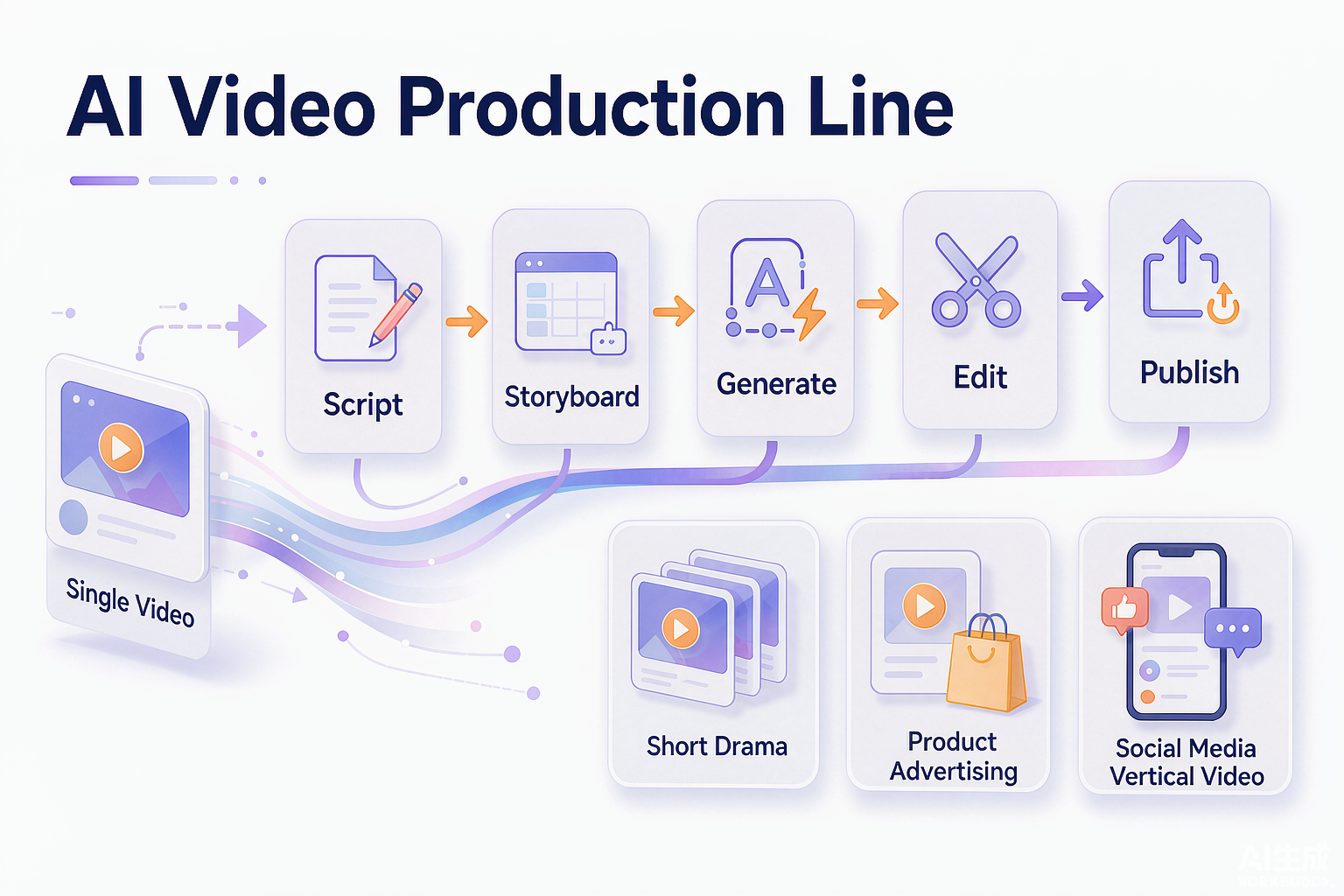
If AI can only occasionally produce one “cool-looking” video, it remains more like a creative toy. When it connects scripts, storyboards, assets, generation, review, and publishing, it starts to become a real production tool.
That is why DataEyesAI’s video-generation capabilities are worth considering.
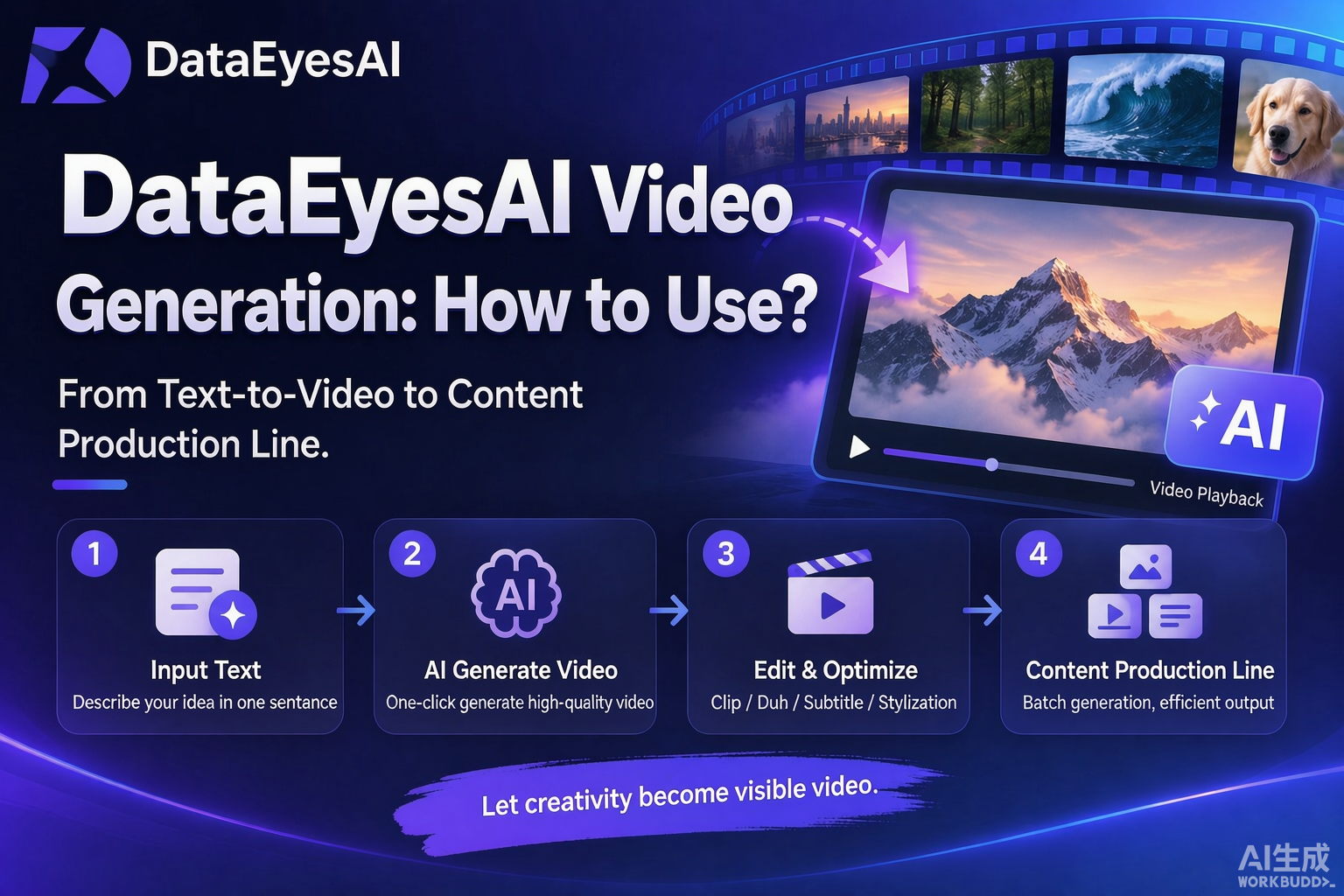
DataEyesAI supports more than text-to-video. Its video capabilities also cover image-to-video, reference-to-video, video editing, start-and-end-frame video generation, motion transfer, and digital-human video.
The Hardest Part of AI Video Is Not Generation — It Is Bringing It into Real Business Workflows
Whether a video can be used in a real business usually depends on several stages.
1. Is the input specific enough?
A prompt such as “generate a premium-looking advertisement” may produce a result, but it is unlikely to produce a consistent one.
Production-oriented prompts should usually clarify:
Who the video is for
What the product or character is
Where the scene takes place
How the camera should move
What the pacing should feel like
Whether narration or ambient sound is needed
Whether the final output is horizontal or vertical
The closer a prompt is to an actual shooting brief, the easier it is to move the generated result into the next stage of production.
2. Can existing assets be reused?
Many content teams already have product images, character settings, brand visuals, or old videos.
An ideal video tool should not require the team to start from a blank canvas every time. Existing assets should be able to become the starting point for the next round of creation.
DataEyesAI’s video capabilities support:
Text-to-video: Generate video from text prompts
Image-to-video: Use an image as the first frame and turn it into a moving scene
Reference-to-video: Use a reference image or reference video as the basis for the subject’s appearance
Video editing: Modify an existing video through text instructions
Start-and-end-frame video generation: Generate a transition based on a specified first frame and last frame
Motion transfer and video character replacement
Digital-human video generation
This allows a content team to select a production method based on the task instead of forcing every request into a text-to-video workflow.
3. Can the result move to the next stage?
In real production, generation is only an intermediate step.
After a video is generated, the team still needs to:
Check people, products, and brand information
Select versions with stable motion and framing
Adjust subtitles, voice-over, and music
Cut unsuitable sections
Export different dimensions and aspect ratios
Complete compliance checks before publishing
That is why AI video should not be evaluated only by asking whether the first result looks good. It should also be evaluated by whether the workflow supports multiple rounds of modification, batch generation, and human review.
Two Common AI Video Workflows
Workflow 1: Text-to-Video for Rapid Creative Validation
Text-to-video is useful when a concept does not yet have a visual reference.
For example, a brand preparing a spring product campaign could break the idea into several shots:
A city street in the early morning, with a slow camera push-in.
The product appears on a tabletop as light moves across the surface.
A person picks up the product and demonstrates how it is used.
The camera cuts to product details and the brand mark.
The video ends with a call to action.
The goal is not necessarily to write a “perfect prompt” on the first attempt. The goal is to visualize the concept quickly, then refine the camera movement, action, pacing, and visual style based on the results.
According to the DataEyesAI documentation, text-to-video models such as wan2.7-t2v support 720P or 1080P output, durations of 2–15 seconds, audio, and multi-shot storytelling.
Workflow 2: Image-to-Video for Bringing Existing Assets to Life
If a team already has a product image, character illustration, poster, or scene design, image-to-video can be a better way to continue from existing assets.
A typical process is:
Prepare a clear reference image.
Define how the subject should move.
Specify the camera movement and environmental changes.
Generate multiple versions.
Check the consistency of the subject’s appearance and details.
Select suitable clips for editing.
This is particularly useful for e-commerce teams. The same product image can be used to explore different backgrounds, camera movements, and platform-specific formats.
However, every generated result should still be reviewed by a person, especially when the video contains product text, dimensions, interfaces, packaging, or brand marks.
Case 1: How an E-Commerce Team Can Turn One Product Image into Multiple Assets
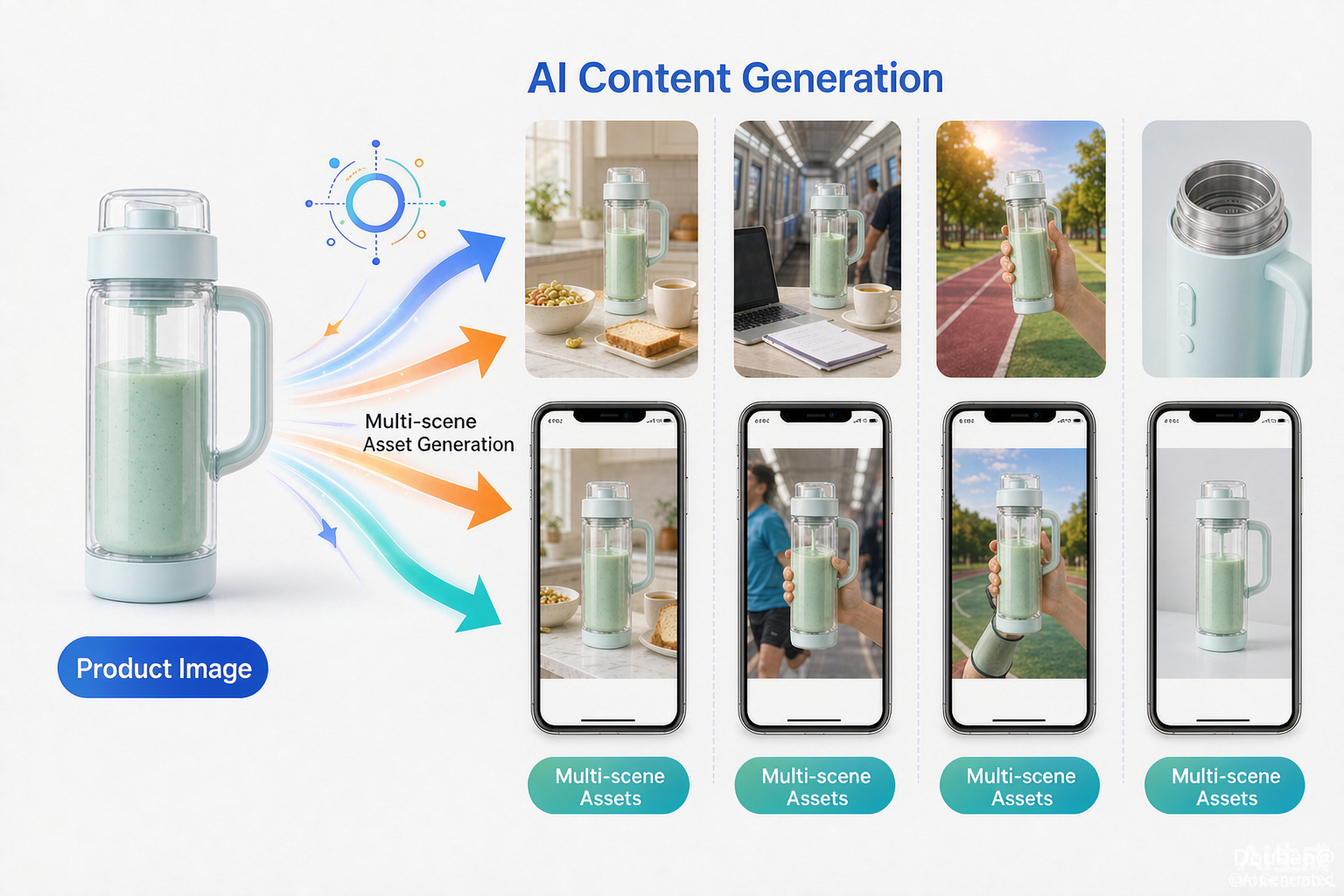
The following is an application example based on the product capabilities. It is not an official DataEyesAI customer case and does not constitute a promise of views, conversion rates, or other performance results.
Imagine that a cross-border e-commerce brand is promoting a portable blender.
In the past, the team might have needed to shoot separate videos for different platforms:
A product-detail video
An outdoor-use video
An office-use video
A vertical short-video advertisement
A horizontal website showcase video
With an AI video workflow, the team can first prepare the main product image, brand colors, and product benefits, then design several generation tasks:
Version 1: A breakfast scene on a kitchen counter, emphasizing portability and easy cleaning
Version 2: A commuting scene, emphasizing compact size and portability
Version 3: An outdoor fitness scene, emphasizing fast use
Version 4: A pure product shot, emphasizing materials, structure, and details
After each generation, the team can keep the versions with the most stable product appearance, motion, and framing, then add subtitles, voice-over, and platform-specific formatting.
The point is not that people are no longer needed. The point is that AI can reduce repetitive shooting and trial-and-error work, allowing people to spend more time on topic selection, aesthetic judgment, and commercial communication.
Case 2: How a Short-Drama Team Can Use AI Video for Storyboard Previsualization
Imagine that a short-drama team has completed a story outline but has not yet decided on the visual style for the final shoot.
The team can first break the script into key shots:
The protagonist enters the scene for the first time
Two characters enter into conflict
An important object is discovered
The mood shifts from calm to tense
The ending leaves a question unresolved
The team can then prepare reference images for the main characters and test different lighting styles, camera distances, and movements.
The generated videos do not necessarily need to become final footage. They can first be used to:
Check whether the story is easy to understand visually
Compare two visual styles
Discuss camera blocking
Identify problems in the script before shooting
Prepare storyboard references for the final production
For short-drama teams, the value of this workflow is that it lowers the cost of creative validation.
Instead of discussing an abstract idea only through text, the team can turn it into a visual reference and then decide which ideas are worth taking into formal production.
Video Editing: AI Does More Than Generate from Scratch
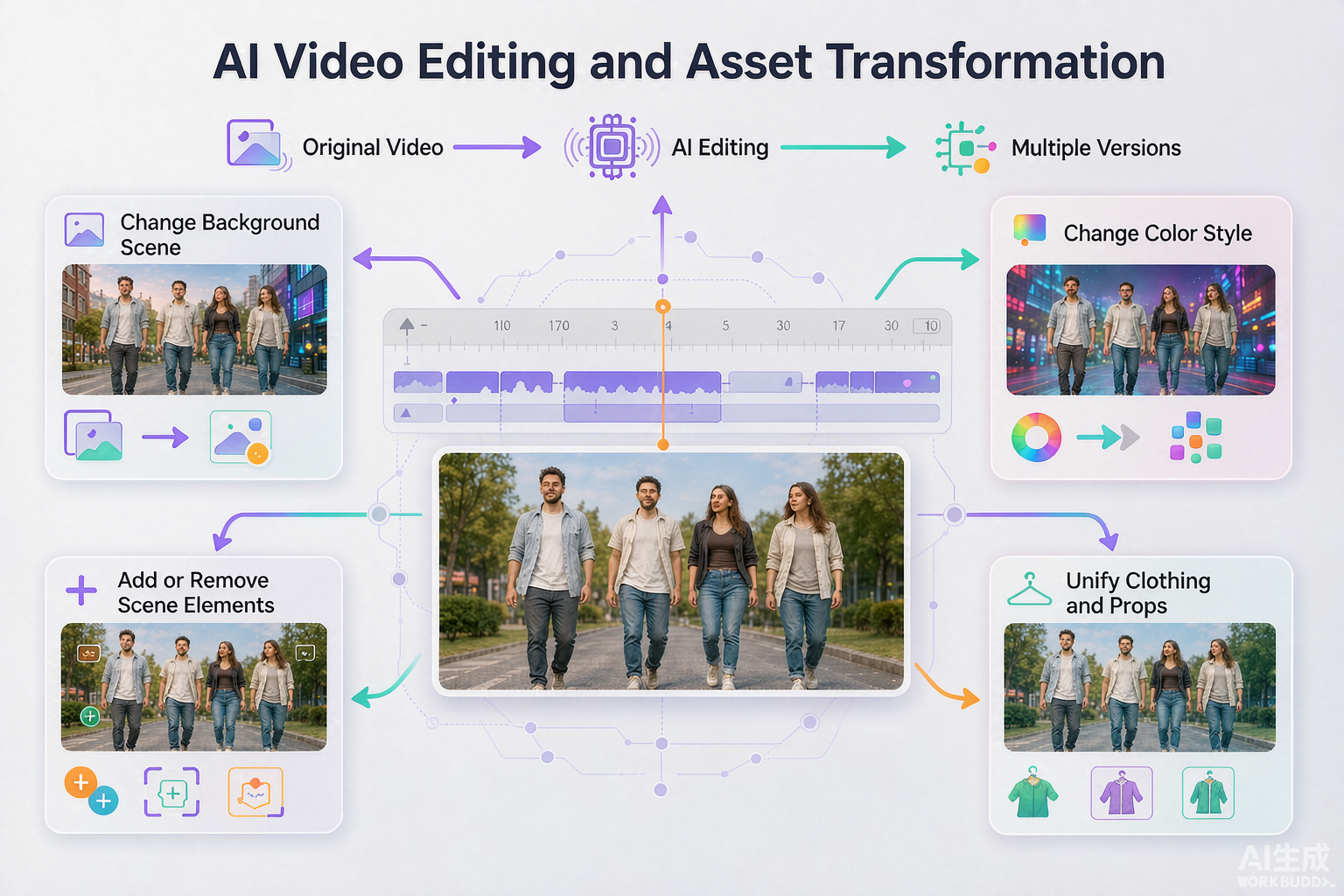
If a team already has a video, generating an entirely new one is not always the most efficient option.
DataEyesAI video capabilities support editing an existing video through text instructions. This can include adding, removing, or modifying elements; changing colors, environments, or backgrounds; and modifying character behavior, dialogue, and filming style.
The workflow can also use reference images for applying visual elements or transferring video actions.
These capabilities can be useful for:
Changing the atmosphere or setting of the same footage
Testing different colors and visual styles
Adding or removing objects
Creating asset variations for different markets
Using reference images to keep clothing, props, or visual elements consistent
This does not mean that human review can be skipped.
When a video includes brand marks, faces, product details, copyrighted materials, or advertising claims, the final version still needs to be checked by the team.
What Should You Evaluate Before Integrating AI Video into a Team?
1. Check whether the task types match your needs
Do not ask only, “Does it support video generation?” Also confirm:
Does it support text-to-video?
Does it support image-to-video?
Can it use reference images or reference videos?
Can it edit existing videos?
Does it support audio-driven generation or digital humans?
Does it support start-and-end-frame control?
2. Check whether parameters and outputs are transparent
Resolution, aspect ratio, video duration, audio, task status, and result validity all affect the production workflow.
With DataEyesAI, the typical process is to create an asynchronous task, receive a task_id, query the task status, and retrieve the video URL after the task succeeds.
Generated videos and task IDs are valid for 24 hours, so results should be downloaded or transferred promptly.
3. Check whether the workflow can be automated
When a team needs to generate many assets every day, manual uploading and downloading can quickly become a bottleneck.
DataEyesAI provides a unified API access method. Developers can build a production workflow around task creation, status queries, and result downloads.
The video API uses the following authorization format:
Authorization: Bearer {API_KEY}
4. Check whether cost and human review can be controlled
AI video should not be evaluated only by the cost of one generation. Also consider:
How many versions each task requires
The proportion of failed or unusable results
Video duration and resolution
How many rounds of revision are needed
The time required for human selection and post-production
A genuinely useful workflow should make the inputs, outputs, and cost boundaries of every stage visible.
What Can AI Video Not Replace?
AI video can accelerate creative experimentation and asset production, but it should not yet be understood as a button that completes the entire content process automatically.
It cannot replace:
Brand-positioning judgment
Understanding of the target audience
Refinement of story structure
Verification of product facts
Copyright and advertising-compliance review
Human quality control of the final visuals
AI is best understood as a high-efficiency production component, not a complete content team.
The more reliable approach is simple:
Let AI expand the range of possibilities. Let people choose the direction, verify the facts, and take responsibility for the final result.
Conclusion: Start Building a Content Production Pipeline, Not Just One Video
The next step for AI video is not only more realistic visuals. It is a more continuous creative workflow.
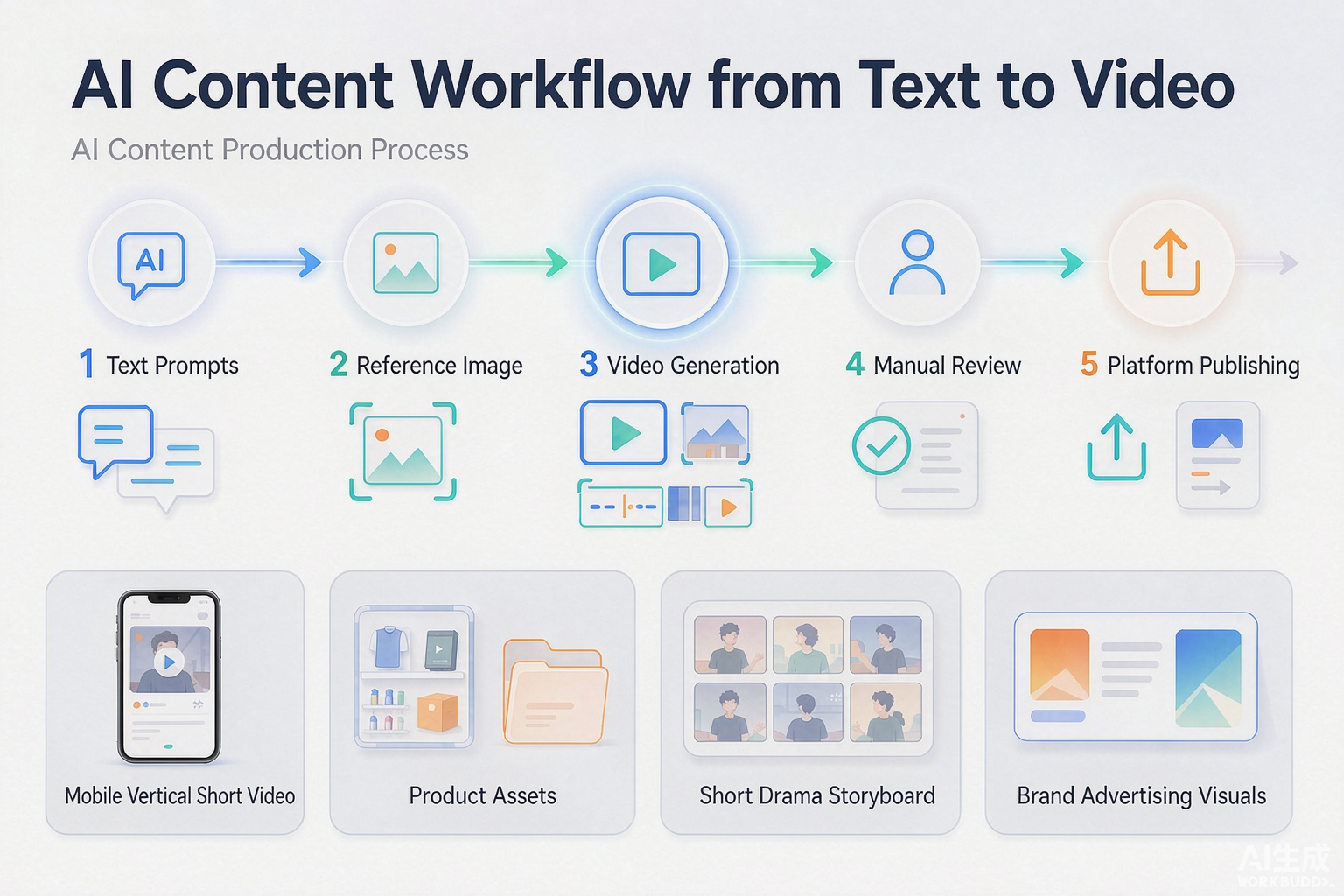
Start with a text concept and use text-to-video for rapid validation. Once you have a product image or character image, use image-to-video to expand the idea. When existing footage needs to be adapted, use video editing to create new variations. Finally, complete human review, editing, and publishing.
If you are creating short dramas, e-commerce advertisements, brand content, or social media assets, you can try DataEyesAI’s unified AI model services and video-generation capabilities, starting with one concrete task:
Write down a shot, upload a reference image, or provide an existing clip — and see whether it can become the starting point for your next content production pipeline.
Try DataEyesAI:
You might also be interested

How a Brand Campaign Built Its Visual Pitch with GPT Image 2.5
DataEyesAI GPT Image 2.5 turns skincare ideas into campaign visuals.
Is Wan 3.0 Video Good for Ecommerce? DataEyesAI Product Ad Cases
DataEyesAI Wan 3.0 Video turns product images, brand assets, and creative scripts into high-quality
Empowering OpenClaw: Five APIs from DataEyesAI to Help AI Agents Truly "See the World"
Empowering OpenClaw: Five APIs from DataEyesAI to Help AI Agents Truly "See the World"